How to integrate vivenu ticketing data into Dotdigital


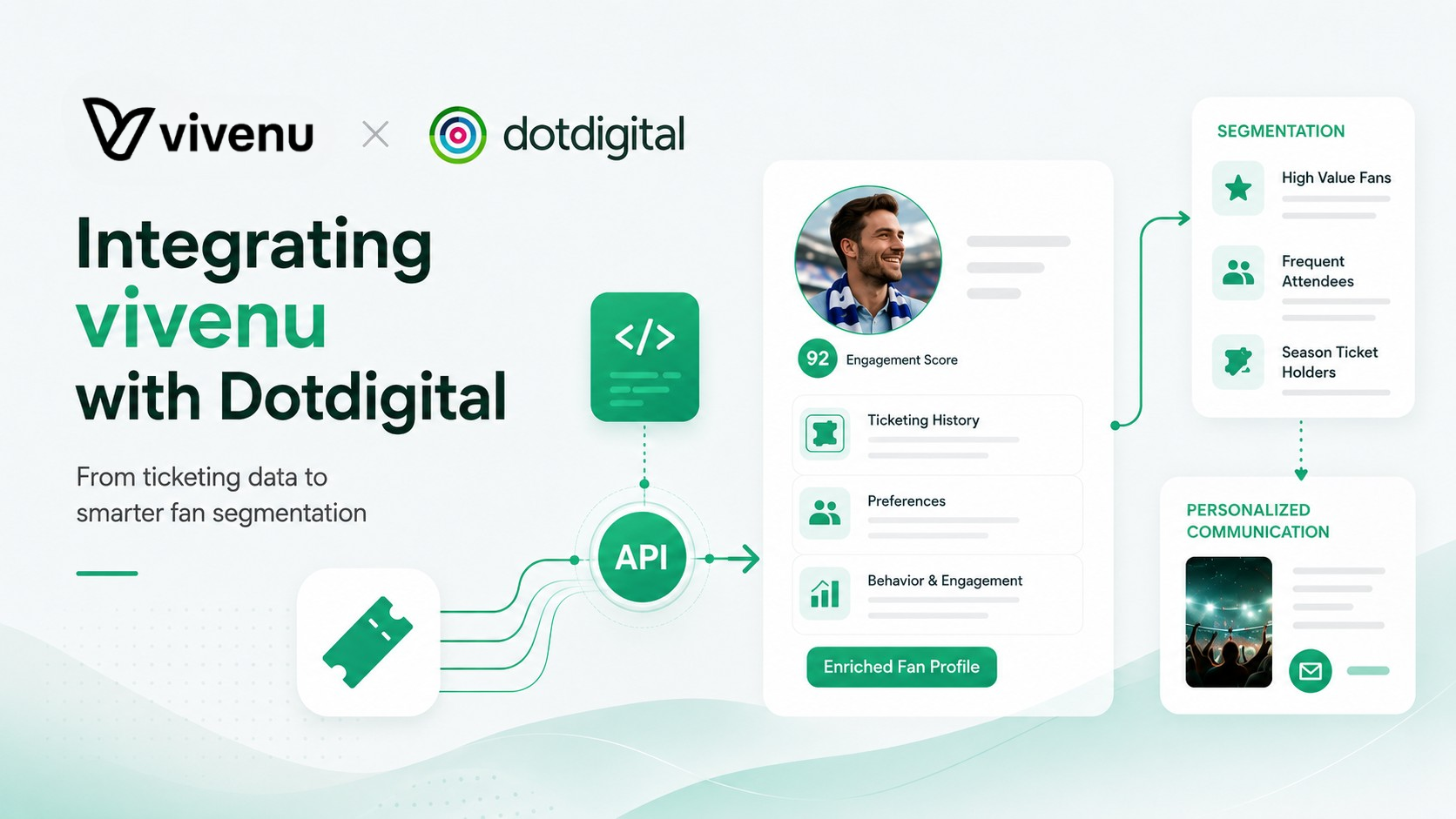
Introduction
Ticketing data is one of the most valuable data sources a sports organization has.
It tells you who bought, what they bought, which event they bought for, whether the ticket is still valid, whether it was transferred, whether it was scanned, and which fan profile should become richer with every interaction.
The problem?
Most clubs still treat ticketing data as something that lives in the ticketing system. CRM and marketing teams then work with incomplete profiles, static lists, manual exports, or segments that age badly the moment a new transaction happens.
That is a missed opportunity.
I recently built a vivenu to Dotdigital integration that syncs ticketing, reservation and customer data into Dotdigital. The goal was simple:
Bring ticketing data close enough to CRM that marketing teams can actually use it.
This article explains one practical way to do it.
It is not the only possible architecture. It is not meant to be a universal blueprint for every club, league, venue or event operator. But if you are trying to connect vivenu ticketing data with Dotdigital, this should give you a very solid starting point.
I did the heavy lifting for you. You can steal the thinking.
Why integrate vivenu with Dotdigital?
For sports organizations, ticketing data is more than operational data.
It is fan intelligence.
A proper vivenu to Dotdigital integration can help you build:
- Better segmentation
- Better personalization
- Richer fan profiles
- More relevant campaigns
- Cleaner post-match follow-ups
- Better season ticket communication
- More useful renewal campaigns
- Smarter no-show and attendance analysis
- More joined-up CRM and ticketing operations
A few examples:
A fan who bought a season ticket should not receive a generic “buy your season ticket” campaign.
A fan who has a valid ticket but did not attend could receive a different message than someone who attended.
A fan who received a transferred ticket might be a new potential buyer.
A fan with an open reservation should not be treated the same as someone who already completed a purchase.
A fan who bought through ticketing should not be confused with someone who only bought a scarf in the online shop.
That is the point of the integration: not just moving data from A to B, but turning ticketing events into useful CRM context.
The architecture I used
At a high level, the architecture looked like this:
vivenu webhooks
        ↓
Webhook receiver
        ↓
Raw event tables in BigQuery
        ↓
Clean export views
        ↓
Cloud Run export jobs
        ↓
Dotdigital contacts and Insight Data
        ↓
Segments, personalization and campaign logic
I chose this architecture because it gives you a few important benefits:
- Raw webhook payloads are preserved.
- Transformations are transparent and testable.
- Failed exports can be replayed.
- Dotdigital receives clean, structured data.
- Marketing users do not need to understand raw ticketing JSON.
- The system can evolve as new vivenu fields or business rules appear.
Could you build this differently? Absolutely.
You could use another data warehouse, another runtime, another scheduler, or a managed integration platform. My idea was to keep it practical, auditable and flexible.
For this kind of integration, I care about three things:
- Do not lose data.
- Do not guess business logic.
- Do not make marketing teams decode technical payloads.
What data should you sync?
I would not start by syncing everything just because it exists.
Start with the data that creates CRM value.
In my build, I focused on four main data groups:
1. Contacts
Contact data is the foundation.
This includes fields like:
- First name
- Last name
- City
- Country
- Postcode
- Phone, where available
- vivenu customer ID
- vivenu tags
This enriches the Dotdigital contact profile and makes the rest of the data easier to connect.
2. Orders
Orders tell you what someone bought.
Typical order fields:
- Order ID
- Checkout ID
- Purchase date
- Order status
- Currency
- Order total
- Order subtotal
- Products
- Event name
- Event date
- Ticket type
- Category
- Sales channel
Orders are useful for buyer segments, revenue logic and purchase history.
3. Tickets
Tickets tell you what concrete ticket right exists.
Typical ticket fields:
- Ticket ID
- Ticket status
- Event ID
- Event name
- Ticket type
- Category
- Seat information
- Validity flags
- Transfer flags
- Scan fields
Tickets are useful when you care about who actually has a valid ticket, not just who placed an order.
4. Purchase Intents
Purchase Intents are useful when reservations matter.
I would be careful with wording here. Purchase Intents are not necessarily “abandoned carts”. In many setups, they represent reservations or purchase intent workflows.
Typical fields:
- Purchase Intent ID
- Reservation status
- Commercial status
- Conversion status
- Event
- Ticket count
- Amount
- Regular amount
- Checkout or transaction references, if available
This is useful for follow-ups on open reservations or for distinguishing between reserved, converted and canceled demand.
Why I used Dotdigital Insight Data
Dotdigital has contact fields and Insight Data.
I used both.
Contact fields are good for profile-level information:
firstName
lastName
CITY
COUNTRY
POSTCODE
VIVENU_CUST_ID
VIVENU_TAGS
CONTACT_SOURCE
SOURCE_DETAIL
Insight Data is better for repeatable behavioral or transactional data:
Orders
Tickets
Purchase Intents
Scans
Why?
Because a contact can have many orders, many tickets and many reservations. That does not belong in one flat contact field.
The mental model is simple:
Contact data = who the fan is
Insight Data = what the fan did or owns
That distinction matters a lot.
If you push everything into contact fields, the profile becomes messy and you lose history. If you push everything into Insight Data without enriching the contact, the profile remains shallow. You need both.
Step 1: Capture vivenu webhooks
The first layer is a webhook receiver.
The job of this service is not to be clever. It should receive events, verify them, store them and return quickly.
Do not do complex transformation inside the webhook request if you can avoid it. Webhooks should be boring.
Here is a simplified Python example using FastAPI.
from fastapi import FastAPI, Request, HTTPException
from google.cloud import bigquery
from datetime import datetime, timezone
import json
import os
import uuid

app = FastAPI()
bq = bigquery.Client()

PROJECT_ID = os.environ["GCP_PROJECT"]
DATASET = os.environ.get("BQ_DATASET", "vivenu_events")

EVENT_TABLE_MAP = {
    "customer.created": "customer_events",
    "customer.updated": "customer_events",
    "checkout.completed": "checkout_events",
    "transaction.complete": "transaction_events",
    "transaction.canceled": "transaction_events",
    "ticket.created": "ticket_events",
    "ticket.updated": "ticket_events",
    "purchaseIntent.created": "purchase_intent_events",
    "purchaseIntent.updated": "purchase_intent_events",
    "purchaseIntent.completed": "purchase_intent_events",
}

@app.post("/webhooks/vivenu")
async def vivenu_webhook(request: Request):
    body = await request.body()

    # Verify the webhook signature according to your vivenu webhook setup.
    # Do not skip verification in production.
    # verify_signature(request.headers, body)

    payload = json.loads(body)
    event_type = payload.get("type")

    table_name = EVENT_TABLE_MAP.get(event_type)
    if not table_name:
        # Store unknown events separately or log them.
        table_name = "unknown_events"

    row = {
        "event_id": payload.get("id") or str(uuid.uuid4()),
        "event_type": event_type,
        "received_at": datetime.now(timezone.utc).isoformat(),
        "raw_json": json.dumps(payload),
    }

    table_id = f"{PROJECT_ID}.{DATASET}.{table_name}"
    errors = bq.insert_rows_json(table_id, [row])

    if errors:
        raise HTTPException(status_code=500, detail=str(errors))

    return {"ok": True}
This is intentionally minimal.
In a real production setup, I would also add:
- Signature verification
- Dead-letter logging
- Unknown event handling
- Idempotency checks
- Monitoring
- Alerting
- Raw payload retention
- Separate prod and sandbox mode handling
The main principle stays the same:
Store the raw payload first. Transform later.
Step 2: Keep raw payloads in BigQuery
I like using BigQuery as the integration layer because it gives me a strong audit trail.
When something looks wrong in Dotdigital, I can trace it back:
Dotdigital record
    ↓
export view
    ↓
cleaned BigQuery model
    ↓
raw webhook payload
That is a big deal.
Without this traceability, debugging becomes guesswork.
A minimal raw event table could look like this:
CREATE TABLE IF NOT EXISTS `your_project.vivenu_events.checkout_events` (
  event_id STRING,
  event_type STRING,
  received_at TIMESTAMP,
  raw_json STRING
)
PARTITION BY DATE(received_at);
For production, I would also consider fields like:
webhook_mode
source_system
processing_status
inserted_at
payload_hash
The exact schema depends on your setup.
The important part is that raw webhook data should be preserved. If your transformation logic changes later, you can rebuild your clean views without asking vivenu to resend everything.
Step 3: Build clean export views
Raw webhook JSON is not something your CRM team should ever have to understand.
So the next step is to create clean BigQuery views that turn raw vivenu data into useful CRM objects.
For example, an order export view might produce fields like:
record_id
email
checkout_id
purchase_date
order_status
order_total
order_subtotal
currency
products
source_system
A simplified order view might look like this:
CREATE OR REPLACE VIEW `your_project.vivenu_events.v_export_orders_dotdigital` AS
SELECT
  JSON_VALUE(raw_json, '$.data.checkout._id') AS record_id,
  JSON_VALUE(raw_json, '$.data.checkout._id') AS checkout_id,
  LOWER(JSON_VALUE(raw_json, '$.data.checkout.email')) AS email,
  TIMESTAMP(JSON_VALUE(raw_json, '$.data.checkout.createdAt')) AS purchase_date,
  JSON_VALUE(raw_json, '$.data.checkout.status') AS order_status,
  SAFE_CAST(JSON_VALUE(raw_json, '$.data.checkout.realPrice') AS NUMERIC) AS order_total,
  SAFE_CAST(JSON_VALUE(raw_json, '$.data.checkout.regularPrice') AS NUMERIC) AS order_subtotal,
  JSON_VALUE(raw_json, '$.data.checkout.currency') AS currency,
  'vivenu' AS source_system
FROM `your_project.vivenu_events.checkout_events`
WHERE JSON_VALUE(raw_json, '$.data.checkout._id') IS NOT NULL
  AND JSON_VALUE(raw_json, '$.data.checkout.email') IS NOT NULL;
This is only a simplified example.
In a real build, you usually need more logic:
- Deduplicate events
- Join event metadata
- Handle discounts correctly
- Handle canceled and refunded transactions
- Build nested products
- Normalize customer identity
- Add source system fields
- Add export timestamps
- Add stable record keys
One lesson I learned again: pricing logic needs special attention.
Ticketing systems often have regular price, real price, discounts, coupons, internal bookings, zero-value tickets and sponsor logic. If you blindly map the regular price as revenue, you will create bad CRM data.
For Dotdigital, I like to keep both:
order_total = effective value after discount
order_subtotal = regular value before discount
That lets CRM teams build segments like:
order_total = 0
order_total < order_subtotal
order_total >= 500
Much better.
Step 4: Model Orders, Tickets, Tags and Purchase Intents differently
This is where many integrations go wrong.
They treat all ticketing data as one big object.
I would not do that.
Orders, Tickets, Tags and Purchase Intents answer different business questions.
Orders
Use Orders for purchase logic.
Questions Orders answer:
- Who bought?
- What did they buy?
- When did they buy?
- What was the order value?
- Was the order discounted?
- Was the order canceled?
Example Dotdigital payload:
{
  "key": "checkout_123",
  "contactIdentity": {
    "identifier": "email",
    "value": "fan@example.com"
  },
  "json": {
    "id": "checkout_123",
    "purchase_date": "2026-06-01T12:30:00Z",
    "currency": "EUR",
    "order_total": 120.00,
    "order_subtotal": 150.00,
    "order_status": "COMPLETE",
    "products": [
      {
        "sku": "ticket_type_123",
        "name": "Seat Category 1",
        "event_id": "event_123",
        "event_name": "Home Game",
        "qty": 2,
        "price": 75.00
      }
    ],
    "source_system": "vivenu"
  }
}
Tickets
Use Tickets for ticket ownership and validity.
Questions Tickets answer:
- Does the fan have a valid ticket?
- Which event is the ticket for?
- Was the ticket transferred?
- Was the ticket scanned?
- Is it still the current ticket?
Example payload:
{
  "key": "ticket_123",
  "contactIdentity": {
    "identifier": "email",
    "value": "fan@example.com"
  },
  "json": {
    "ticket_id": "ticket_123",
    "event_id": "event_123",
    "event_name": "Home Game",
    "ticket_status": "VALID",
    "is_valid": true,
    "is_current_ticket": true,
    "was_transferred_in": false,
    "was_transferred_out": false,
    "was_scanned": false,
    "scan_count": 0,
    "source_system": "vivenu"
  }
}
Tags
Use Tags for contact-level labels.
Questions Tags answer:
- Is this fan marked as season ticket holder?
- Is this fan part of a membership or fan club segment?
- Does vivenu already classify this contact?
Example contact fields:
{
  "identifiers": {
    "email": "fan@example.com"
  },
  "dataFields": {
    "VIVENU_CUST_ID": "customer_123",
    "VIVENU_TAGS": "SEASON_TICKET_2026, FANCLUB",
    "CONTACT_SOURCE": "Integration",
    "SOURCE_DETAIL": "vivenu"
  }
}
Purchase Intents
Use Purchase Intents for reservations.
Questions Purchase Intents answer:
- Does this contact have an open reservation?
- Was the reservation converted?
- Was it canceled?
- Which event was reserved?
Example payload:
{
  "key": "purchase_intent_123",
  "contactIdentity": {
    "identifier": "email",
    "value": "fan@example.com"
  },
  "json": {
    "purchase_intent_id": "purchase_intent_123",
    "reservation_status": "new",
    "commercial_status": "OPEN",
    "is_converted": false,
    "ticket_count": 2,
    "amount": 120.00,
    "regular_amount": 120.00,
    "source_system": "vivenu"
  }
}
The point is not the exact field names.
The point is the separation of concerns.
Orders are not Tickets. Tags are not Orders. Purchase Intents are not purchases.
Once you get that right, your segments become much more trustworthy.
Step 5: Create or update Dotdigital contacts first
This was an important practical detail.
Contact-scoped Insight Data needs to be linked to a contact identity. In a perfect world, all contacts already exist in Dotdigital before ticketing data arrives.
In the real world, sync jobs run at different times.
A new fan might register in the ticketing flow, buy a ticket, and trigger a webhook before the normal contact sync has created that contact in Dotdigital.
So my approach was:
- Extract the email addresses from the batch.
- Upsert or preflight those contacts in Dotdigital.
- Then import the Insight Data records.
Here is a simplified contact import example:
import requests
import os

DOTDIGITAL_REGION = os.environ["DOTDIGITAL_REGION"]
DOTDIGITAL_USER = os.environ["DOTDIGITAL_USER"]
DOTDIGITAL_PASS = os.environ["DOTDIGITAL_PASS"]

BASE_URL = f"https://{DOTDIGITAL_REGION}-api.dotdigital.com"

def import_contacts(contacts):
    url = f"{BASE_URL}/contacts/v3/import"

    payload = {
        "contacts": contacts
    }

    response = requests.put(
        url,
        auth=(DOTDIGITAL_USER, DOTDIGITAL_PASS),
        json=payload,
        timeout=60
    )

    response.raise_for_status()
    return response.json()

contacts = [
    {
        "identifiers": {
            "email": "fan@example.com"
        },
        "dataFields": {
            "CONTACT_SOURCE": "Integration",
            "SOURCE_DETAIL": "vivenu"
        }
    }
]

result = import_contacts(contacts)
print(result)
This avoids fragile dependency on another sync.
It also makes the exporter more robust. If the contact already exists, it can be updated. If it does not exist, it can be created.
Step 6: Import Insight Data into Dotdigital
Once contacts exist, import the actual records into Dotdigital Insight Data.
Here is a simplified Python function:
import requests
import os

DOTDIGITAL_REGION = os.environ["DOTDIGITAL_REGION"]
DOTDIGITAL_USER = os.environ["DOTDIGITAL_USER"]
DOTDIGITAL_PASS = os.environ["DOTDIGITAL_PASS"]

BASE_URL = f"https://{DOTDIGITAL_REGION}-api.dotdigital.com"

def import_insight_data(collection_name, collection_type, records):
    url = f"{BASE_URL}/insightData/v3/import"

    payload = {
        "collectionName": collection_name,
        "collectionType": collection_type,
        "collectionScope": "contact",
        "records": records
    }

    response = requests.put(
        url,
        auth=(DOTDIGITAL_USER, DOTDIGITAL_PASS),
        json=payload,
        timeout=90
    )

    response.raise_for_status()
    return response.json()
And an example call:
records = [
    {
        "key": "checkout_123",
        "contactIdentity": {
            "identifier": "email",
            "value": "fan@example.com"
        },
        "json": {
            "id": "checkout_123",
            "purchase_date": "2026-06-01T12:30:00Z",
            "order_total": 120.00,
            "order_status": "COMPLETE",
            "source_system": "vivenu"
        }
    }
]

result = import_insight_data(
    collection_name="orders",
    collection_type="orders",
    records=records
)

print(result)
A few practical tips:
- Use stable record keys.
- Keep records idempotent.
- Send records in chunks.
- Log every import ID.
- Check import status after submission.
- Store export logs in your own system too.
- Do not assume a 202 response means every record was accepted.
That last one matters.
Async imports can look fine at submission time and still contain rejected records later. Always check the final import result.
Step 7: Add idempotency and watermarks
You do not want duplicate orders or tickets every time the job runs.
Use two mechanisms:
- Stable keys in Dotdigital
- Watermarks in your exporter
For example:
orders key = checkout_id
tickets key = ticket_id
purchase intents key = purchase_intent_id
contacts key = email or customer_id
Then keep a watermark table:
CREATE TABLE IF NOT EXISTS `your_project.ops.watermarks` (
  pipeline STRING,
  watermark_ts TIMESTAMP,
  watermark_event_id STRING,
  updated_at TIMESTAMP
);
When the exporter starts, it reads the current watermark.
SELECT
  watermark_ts,
  watermark_event_id
FROM `your_project.ops.watermarks`
WHERE pipeline = 'vivenu_orders';
Then the export view selects only newer rows.
SELECT *
FROM `your_project.vivenu_events.v_export_orders_dotdigital`
WHERE received_at > @watermark_ts
ORDER BY received_at ASC
LIMIT 1000;
After a successful export, update the watermark.
UPDATE `your_project.ops.watermarks`
SET
  watermark_ts = @new_watermark_ts,
  watermark_event_id = @new_watermark_event_id,
  updated_at = CURRENT_TIMESTAMP()
WHERE pipeline = @pipeline;
The key rule:
Only advance the watermark after the Dotdigital import is confirmed.
Otherwise, you risk skipping data.
Ask me how I know.
Step 8: Make the pipeline observable
A data pipeline that nobody can monitor is not done.
I like to store export logs in BigQuery:
CREATE TABLE IF NOT EXISTS `your_project.ops.export_log` (
  run_id STRING,
  pipeline STRING,
  started_at TIMESTAMP,
  finished_at TIMESTAMP,
  status STRING,
  watermark_start_ts TIMESTAMP,
  watermark_end_ts TIMESTAMP,
  extracted_rows INT64,
  exported_rows INT64,
  failed_rows INT64,
  http_requests INT64,
  error_message STRING,
  error_details STRING
);
This makes it easy to answer questions like:
- Did the job run?
- Did it export data?
- Did any rows fail?
- How far did the watermark move?
- How many API requests did we make?
- What failed exactly?
A simple health query could look like this:
SELECT
  pipeline,
  started_at,
  finished_at,
  status,
  extracted_rows,
  exported_rows,
  failed_rows,
  error_message
FROM `your_project.ops.export_log`
WHERE started_at >= TIMESTAMP_SUB(CURRENT_TIMESTAMP(), INTERVAL 24 HOUR)
ORDER BY started_at DESC;
I also recommend alerting on:
- Failed Cloud Run jobs
- Failed export rows
- Stale watermarks
- Duplicate record keys in a batch
- Discounted orders where totals do not match expected real price
- Sudden spike in rejected Dotdigital imports
The integration should not rely on someone randomly opening Dotdigital and noticing something is wrong.
Although yes, I still spot-check. Because paranoia is a feature, not a bug.
Step 9: Schedule the exports
In my setup, I used scheduled Cloud Run jobs.
A practical hourly schedule could look like this:
Orders:           every hour at :05
Tickets:          every hour at :15
Purchase Intents: every hour at :25
Contacts:         every hour at :35
Why stagger them?
Because it reduces overlap and makes debugging easier.
If something fails at :15, I know it is probably the ticket job. If everything fires at exactly the same time, the logs become less friendly.
A Cloud Scheduler setup might look like this conceptually:
gcloud scheduler jobs update http vivenu-export-orders-prod \
  --schedule="5 * * * *" \
  --time-zone="Europe/Zurich"

gcloud scheduler jobs update http vivenu-export-tickets-prod \
  --schedule="15 * * * *" \
  --time-zone="Europe/Zurich"

gcloud scheduler jobs update http vivenu-export-purchase-intents-prod \
  --schedule="25 * * * *" \
  --time-zone="Europe/Zurich"

gcloud scheduler jobs update http vivenu-export-customers-prod \
  --schedule="35 * * * *" \
  --time-zone="Europe/Zurich"
Adapt this to your stack and expected volume.
Hourly is usually a good starting point for CRM use cases. If you need near-real-time use cases, you can go faster, but do not optimize before you understand API limits, cost and operational risk.
The biggest pitfalls I would avoid
1. Treating Orders as the whole truth
Orders tell you what was bought.
They do not always tell you who currently has a valid ticket.
For that, use Tickets.
2. Treating Purchase Intents as purchases
Purchase Intents can represent reservations.
A reservation is not the same as a purchase.
If you call it an abandoned checkout without validating the business process, your CRM logic will be wrong.
3. Ignoring transfers
Ticket transfers can change who currently holds the ticket.
If you want current ticket holders, you need transfer-aware logic.
4. Using the wrong price field
Regular price and real price are not the same.
Discount codes, sponsor tickets, internal bookings and zero-value tickets can make this surprisingly important.
5. Not creating contacts first
If the contact does not exist in Dotdigital yet, your contact-scoped data import can become fragile.
I prefer to upsert contacts before importing Insight Data.
6. Advancing the watermark too early
If you move the watermark before confirming the import, you can silently skip records.
This is the kind of bug that looks boring until it ruins your week.
7. Not documenting the fields
A working integration is not enough.
Marketing teams need to know which field to use for which question. Otherwise, they will build segments that look right and are wrong.
That is the most dangerous kind of wrong.
How this creates a better fan profile
The real value is not the integration itself.
The value is what it enables.
Once vivenu data is available in Dotdigital, a sports organization can build richer fan profiles:
Contact profile
+ vivenu customer fields
+ tags
+ orders
+ tickets
+ purchase intents
+ scan behavior
= better fan understanding
That can power segments like:
- Season ticket holders
- Match buyers
- No-shows
- Transferred ticket recipients
- Fans with open reservations
- Fans with discounted purchases
- Hospitality buyers
- Fans with valid tickets for an upcoming match
- Fans who bought online vs internally booked tickets
- Fans who bought ticketing products but not merchandise, or the other way around
That is where CRM starts to get interesting.
Not because the data exists.
Because the data becomes usable.
My recommended implementation checklist
If I were building this again, I would follow this order:
- Define the CRM use cases first.
- Decide which vivenu events to ingest.
- Store raw webhooks without losing payloads.
- Build clean BigQuery views for each CRM object.
- Create Dotdigital contact fields and Insight Data collections.
- Upsert contacts before importing Insight Data.
- Export Orders.
- Export Tickets.
- Export Purchase Intents.
- Export customer tags and profile fields.
- Add watermarks and idempotency.
- Add export logging and alerts.
- Validate records manually in Dotdigital.
- Document the fields for marketing users.
- Increase frequency once the pipeline is stable.
The sequence matters.
Do not start with “let’s sync everything”.
Start with “what decisions should this data help the club make?”
Final thoughts
Integrating vivenu with Dotdigital is not just an API exercise.
The API part is manageable.
The real work is deciding what each object means, how it should be modeled, and how CRM teams should use it without accidentally creating bad segments.
My approach was to keep the integration practical:
- raw data preserved
- clean models in BigQuery
- contact enrichment in Dotdigital
- behavioral data as Insight Data
- stable keys for idempotency
- hourly sync jobs
- alerts and validation
- documentation for the people who actually build campaigns
That last part matters.
A technically successful integration that nobody understands is not finished.
A useful integration is one where a CRM manager can confidently build a segment and know what it means.
That is the bar.
Last but not least, if you have any questions about the integration, feel free to reach out. I am happy to help you out.


